


Photify AI: AI Photo Generator
4.2509.00 Reviews
App Specs
- Version
- 3.0.18
- Updated On
- License
- Free
- Downloads
- 1,000,000+
- Developer
- Ex-human, Inc
- Categories
- Photography
- Platform
- Android, iOS
Screenshots
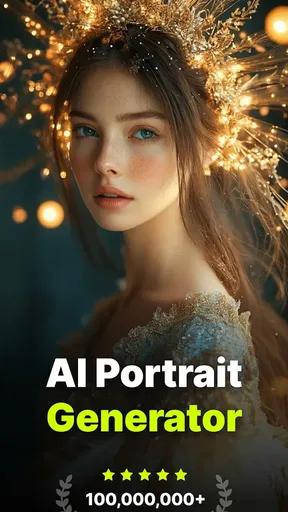
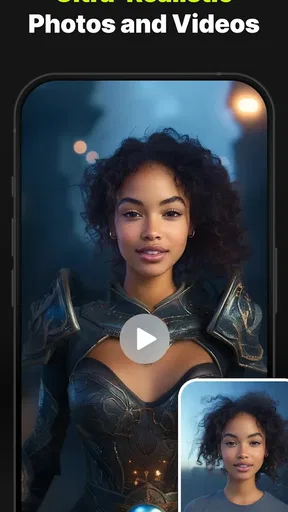
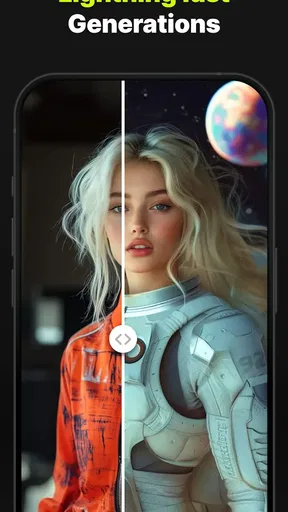
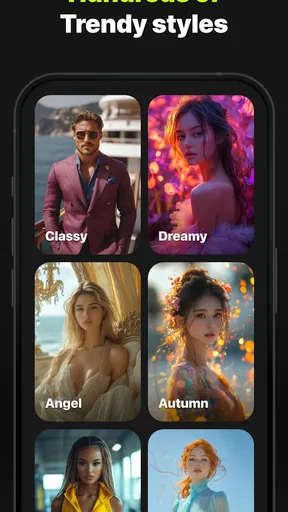
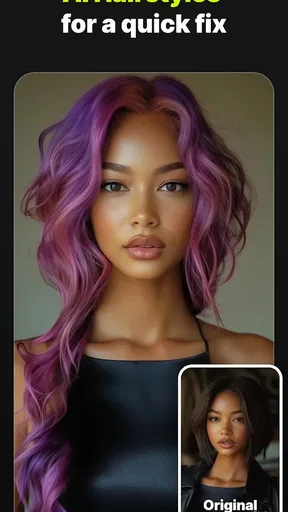

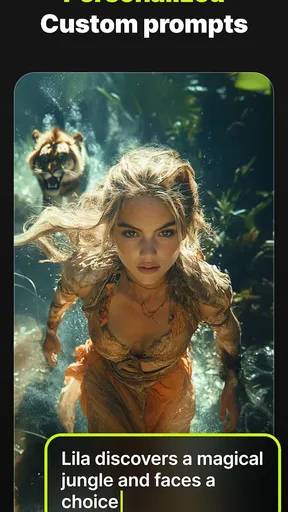
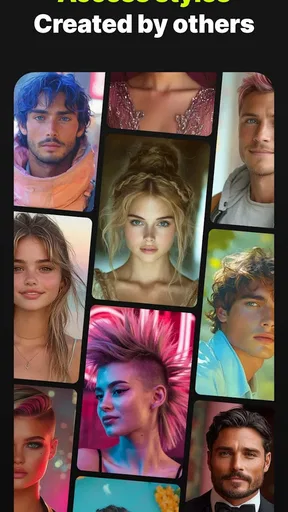
 Analysis by AppCompare
I judge Photify AI most usefully by the job it promises to do: turn a person’s photo into a different-looking image or headshot without making them learn a desktop editing workflow. That focused use is more practical than treating it as a full photography studio. Photify AI: AI Photo Generator is a free photography app from Ex-human, Inc, and its appeal is the quick experiment: start with a photo, explore an AI-made variation, and decide whether the result is worth keeping or sharing.
What AI transformation changes
With ordinary photo editors, I usually make careful adjustments to an existing picture: crop it, correct exposure, or add a filter. Photify AI belongs to a different corner of photography. Its central idea is to use AI to generate a new visual take, which can make a familiar portrait feel more playful or give someone a fast starting point for a profile image. That can be useful when I want options rather than a technically perfect retouch.
The distinction matters. AI-generated results are interpretations, not guaranteed faithful edits. If I need a faithful record of an event, a clean product image, or a portrait that must preserve every detail, I would reach for a camera and a conventional editor first. If I want to explore a look or get an imaginative draft, this kind of app has a clearer advantage: it lowers the effort needed to try an idea.
How I’d get a more useful result
I would approach a portrait session as a small experiment rather than expect a perfect result from the first attempt. A clear, well-lit source image gives the app a more useful starting point, and a straightforward prompt or style choice is easier to judge than several competing ideas at once. I’d change one thing between attempts, then compare the outputs; that makes it easier to tell whether the difference came from the source photo or the direction I gave the tool.
For a practical workflow, I’d make a few candidate images, pause, and inspect them at the size where they will actually appear. A face that looks convincing as a small social avatar may show odd details when enlarged. I’d also keep the original photo separate from any generated version, so I can return to the untouched image whenever accuracy matters. These simple habits help set realistic expectations without turning a casual creative app into a complicated project.
A Creative Playground
First things first, downloading and setting up Photify AI was a breeze. Available for both Android and iOS, it took just a couple of minutes to get started. Once I opened the app, I was greeted with an intuitive and sleek interface. No need to be a tech guru here—everything is laid out clearly, making it user-friendly for all ages.
The real magic happens when you start exploring the app's features. Whether you're a seasoned artist or someone who can't even draw stick figures, Photify AI makes it insanely easy to create beautiful images. The app uses advanced AI technology to generate photos based on your input. You simply type in a phrase or idea, and voilà, a masterpiece appears before your eyes.
Worth Reading Before You Choose

EA SPORTS FC Mobile 26 Is a Bigger Football Game, but It Takes Time

Flipboard Shows What News Apps Must Do Beyond the Feed

Switching to Android Auto Means Rethinking Your Driving Routine

Google Calendar Makes a Crowded Week Easier to Manage

Ludo King Makes the Most of the Minutes Between Plans

Baby Panda World Brings Quick Play to Modern Phones, but Its Game Library Feels Busy
Features That Stand Out
The variety of options available in Photify AI is mind-blowing. You can choose from different styles such as abstract, realistic, or even cartoonish. I found myself spending hours just experimenting with different combinations. The AI is incredibly responsive and surprisingly accurate, capturing even the most intricate details of my descriptions.
One feature that really caught my attention was the ability to fine-tune images. Once your image is generated, you can adjust colors, brightness, and contrast to get it just right. It’s like having Photoshop-level editing tools without the steep learning curve.
That final adjustment step is particularly handy when a generated image is close to what I wanted but feels too bright or too flat on my phone screen. I’d make small changes rather than push every slider dramatically; subtle edits are less likely to distract from the subject. For anything intended for a profile, I’d also check that the crop leaves enough space around the face, since an image that looks balanced in the editor can feel cramped once displayed in a circular avatar.
Endless Possibilities
What I love most about Photify AI is the endless possibilities it offers. From designing custom wallpapers to creating unique social media posts, the app has something for everyone. I even used it to brainstorm ideas for a project at work—it’s that versatile.
A realistic everyday use would be preparing a few profile-picture options before updating a personal account. I’d try a restrained portrait style alongside something more imaginative, then ask a friend which one still looks recognizably like me. The point isn’t to present an invented image as documentary photography; it’s to find a visual that suits the account while being comfortable with how AI has altered the source.
For work, I’d use the results as mood-board material or a prompt for a conversation, not as finished brand photography. A generated concept can help a team decide whether a playful, polished, or dramatic direction feels right. When a project needs consistent lighting, exact colors, or a recognizable real person, a photographer or a standard editing workflow is the safer choice.
"Photify AI is more than just an app; it's a creative companion that inspires and empowers."
The app also includes a community gallery where you can share your creations and get inspired by others. It’s a vibrant space filled with creativity and innovation. Seeing what others have created sparked new ideas for me, making the app feel like a collaborative experience.
I’d treat a gallery image as inspiration rather than a template to copy blindly. Looking at how other people combine a source photo with a particular visual direction can help me name what I want to try next. It is also a reminder that a result that suits one person may not suit another: face shape, expression, and the intended setting all affect whether a generated portrait feels natural.
Room for Improvement
While Photify AI is a joy to use, there are a couple of areas where it could improve. Occasionally, the app would lag when generating more complex images. It wasn’t a deal-breaker, but it did require a bit of patience. Additionally, I noticed that some styles were more polished than others, which could be refined in future updates.
There is also a practical difference between a free download and an entirely free experience. Photify AI is free to install, while in-app purchases range from $0.99 to $99.99 per item. I’d explore the basic workflow first and avoid paying until I know which kind of output I actually want and how often I’ll use it. That is especially sensible for a novelty-driven app: a fun first session does not automatically mean I need a paid option.
Another trade-off is control. A conventional editor is usually better when I want to preserve a specific expression, remove one small distraction, or match a carefully chosen color. An AI generator is better when I am open to a transformation, but that openness means the result may not follow every detail I had in mind. If I’m making a headshot for a formal application or another situation where accuracy and trust matter, I’d choose a real photograph with restrained edits instead.
Privacy and sharing deserve a little thought, too. Before choosing a personal photo for any creative service, I’d read the app’s current privacy information and consider whether I’m comfortable using that image in an AI workflow. I’d be especially cautious with someone else’s face or a child’s photo, and I wouldn’t share a generated portrait publicly unless everyone pictured was comfortable with it.
Photify AI is rated Teen, so I’d keep that audience guidance in mind when deciding whether it is appropriate for a younger user. It has an average rating of 4.2 from around 29,000 ratings, with over 1 million installs; that gives a sense of its reach, but it does not tell me whether its particular styles will suit my taste. I would try it for myself rather than treat popularity as a guarantee of a polished result.
The app’s current version is 3.0.10, and it runs on Android 8.0 or later. That makes it worth checking the device’s software version before attempting an install, particularly on an older phone. Since generation can take patience, I’d also avoid starting a batch of experiments when I need a finished image immediately; a standard crop-and-filter app is more predictable when speed and exact control matter more than novelty.
Despite these minor hiccups, the app delivers on its promise of making AI art accessible to everyone. It’s a powerful tool that has the potential to revolutionize the way we create and share visual content.
Who gets the most from it
I think the strongest fit is someone who enjoys trying visual ideas, wants a quick portrait variation, or needs a starting point for a social post without learning a complex editing program. Casual creators can use it to test a mood; people who make content can use it to sketch options before committing to a more polished shoot. The key is being curious and willing to discard a result that looks off rather than expecting every generation to be usable.
I’d skip it if my main need were reliable photo correction, professional retouching, exact identity preservation, or a predictable export ready for a client. A traditional photo editor gives more direct control over the original pixels, while a camera or photographer is preferable when authenticity is central. Photify AI is most satisfying when I treat it as an idea generator and not a replacement for those tools.
Final Thoughts
To wrap it up, Photify AI: AI Photo Generator is a must-try for anyone looking to explore their creative side. It’s flexible, fun, and incredibly easy to use. Whether you’re an artist, a content creator, or just someone looking to spice up your Instagram feed, this app is worth every megabyte of space on your phone.
If you’re ready to dive into the world of AI-generated art, give Photify AI a spin. You might just find yourself addicted to the endless possibilities it offers. Happy creating!
Pros
- Generates high-quality images quickly.
- User-friendly interface with intuitive controls.
- Wide variety of styles and filters available.
- Regular updates with new features added.
- Offline mode available for uninterrupted use.
Cons
- Requires a stable internet connection for best results.
- Limited free version with in-app purchases.
- Occasional glitches in rendering complex images.
- Some styles require significant processing time.
- May drain battery faster on older devices.
FAQs for Photify AI: AI Photo Generator
What is Photify AI: AI Photo Generator and how does it work?
Photify AI is a cutting-edge application that uses artificial intelligence to transform your photos into stunning artwork or generate unique images from scratch. The app leverages AI algorithms to analyze your input and apply creative filters or generate new visuals, offering users a seamless and innovative way to enhance their photo editing experience.
Is Photify AI free to use, or are there any in-app purchases?
Photify AI is available for free download, providing users with a basic set of features. However, to unlock advanced tools and premium content, there are in-app purchases. These may include unique filters, high-resolution exports, and additional customization options that enhance the creative capabilities of the app.
How user-friendly is Photify AI for beginners in photo editing?
Photify AI is designed with a user-friendly interface, making it accessible for both beginners and experienced photo editors. The app offers intuitive navigation, clear instructions, and tutorials that help new users quickly get accustomed to its features. Even those with no prior experience can start creating impressive images in no time.
What platforms is Photify AI available on, and is it compatible with my device?
Photify AI is available on both Android and iOS platforms, ensuring wide compatibility across a range of devices. To ensure smooth performance, users should check the app's system requirements, which typically include the latest operating system updates and sufficient storage space for optimal functionality.
Does Photify AI protect user privacy and data security?
Photify AI takes user privacy and data security seriously. The app adheres to strict privacy policies, ensuring that your data is not shared without consent. It employs encryption and other security measures to protect your information during uploads and downloads, giving users peace of mind while using the app.


